
Download Bombono – Video Editing, DVD Creation, Timeline Interface
Overview
Bombono is a mobile application designed to simplify the process of creating personalized DVDs from video content, offering a streamlined experience for users who want to preserve memories in a physical format. The app provides a timeline-based interface that mirrors professional video editing tools, making it accessible to both beginners and those with some editing experience. Its core purpose is to bridge the gap between complex video editing software and the average user who wants to produce high-quality DVDs without technical hurdles.
Target users include individuals looking to archive family events, travel footage, or personal projects in a durable, shareable format. The app is particularly useful for users who value tangible media over digital storage, such as educators, amateur filmmakers, and families preserving milestones. While the developer did not provide additional background details, Bombono has been available since June 16, 2017, indicating a long-standing presence in the digital media creation space.
Real-world use cases include compiling vacation videos into a structured DVD with custom menus, organizing school presentations, or creating personalized gifts for loved ones. In the broader app ecosystem, Bombono fills a niche for users seeking dedicated DVD authoring tools on mobile devices, offering a unique alternative to desktop-only solutions. Its focus on usability and output quality positions it as a valuable utility for anyone aiming to create professional-looking DVDs with minimal effort.
Key Features & Functionality
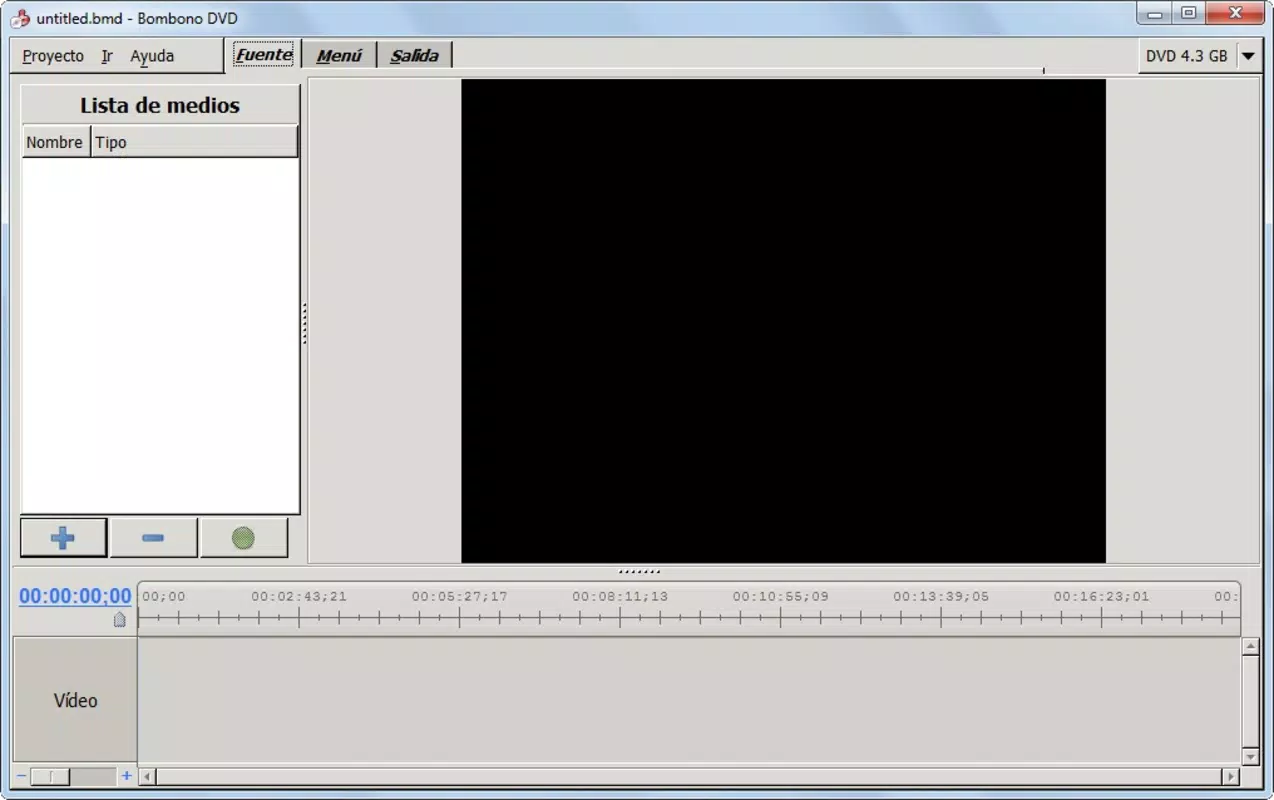
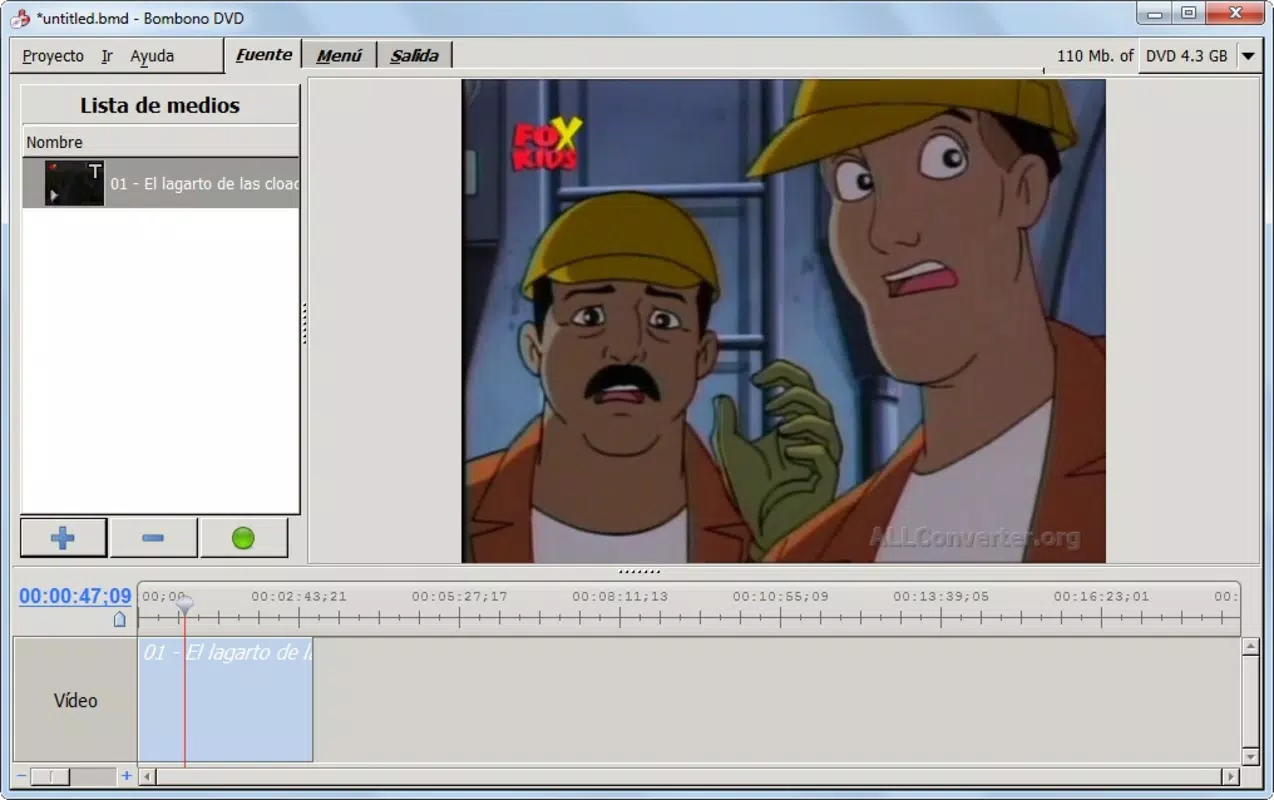
- Familiar Timeline Interface: Bombono employs a timeline layout similar to industry-standard video editors like Adobe Premiere and Final Cut, enabling users to arrange clips, transitions, and effects intuitively. This layout reduces the learning curve for those already familiar with professional editing software.
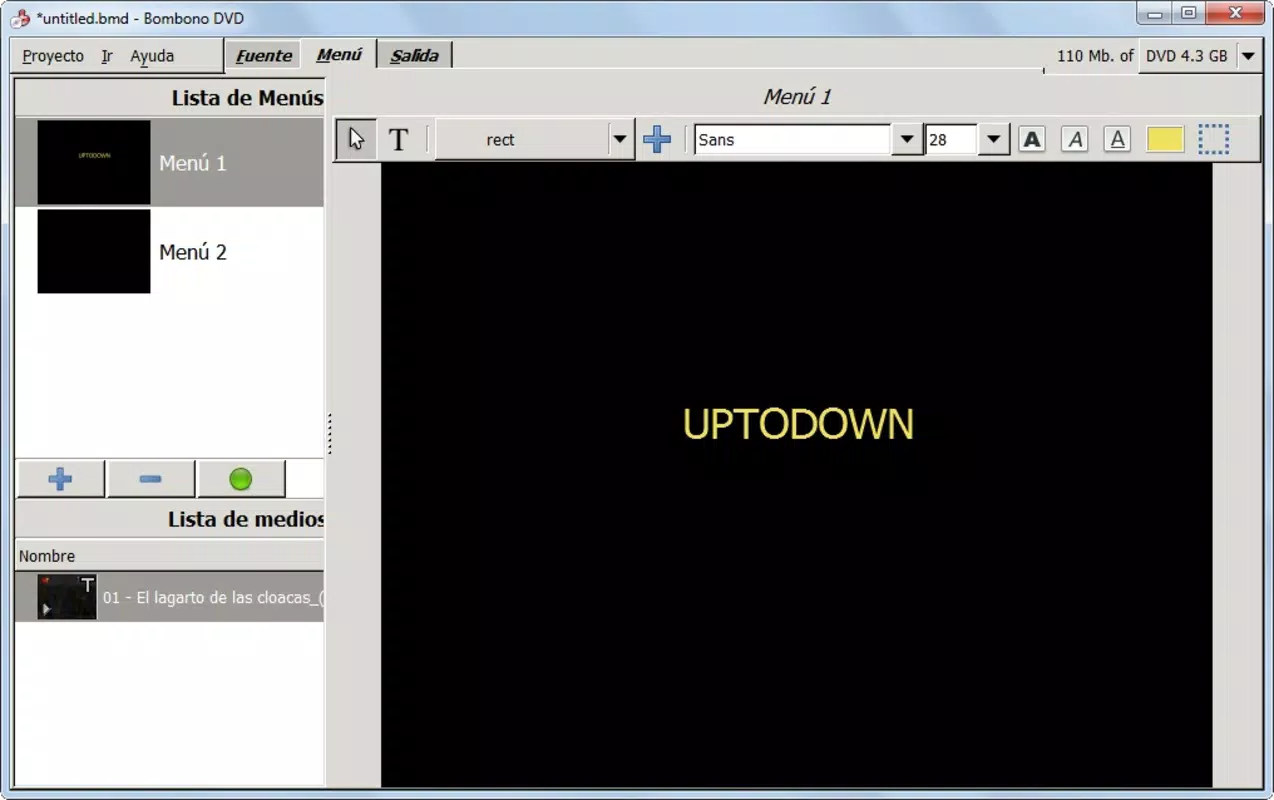
- Custom DVD Menus: Users can design and personalize DVD menus using images, text, and simple linking options. This feature allows for creative control over the user experience, letting viewers navigate content through themed menus that reflect the video’s purpose.
- Streamlined DVD Creation: After assembling the timeline and designing menus, users can name the DVD and select writing speed before initiating the final burn process with a single action. This simplifies the entire workflow into a few clear steps.
- High-Quality Output: The app ensures near-professional quality in the final DVD output, maintaining video clarity and audio synchronization. This makes it ideal for preserving important events where visual fidelity matters.
- User-Friendly Design: With an emphasis on accessibility, Bombono minimizes technical jargon and complex settings. Even users with minimal technical skills can navigate the app and produce polished DVDs without prior experience.
For example, a parent could compile footage from a child’s birthday party, arrange clips on the timeline, add a festive menu with photos, and burn the DVD in under 30 minutes. Similarly, a teacher might use Bombono to create a classroom project DVD with embedded navigation for easy access to different segments.
Interface, UX & Performance
Bombono features a clean, organized interface that prioritizes clarity and ease of navigation. The timeline is prominently displayed, allowing users to visually track their video sequence, while menu design tools are accessible through clearly labeled panels. The visual style is functional rather than flashy, focusing on usability over aesthetics, which enhances the overall user experience.
Navigation is straightforward, with logical grouping of tools and consistent layout across different stages of the DVD creation process. Users can switch between timeline editing, menu customization, and burn settings without confusion. Although the developer did not list formal performance metrics, the app appears optimized for smooth operation on mid-to-high-end mobile devices, ensuring responsive interactions during editing tasks.
Stability during long sessions, such as editing extended video projects or burning large files, was not specified. However, the app’s single-click burn feature suggests a reliable backend process. Users can expect consistent performance when working within the app’s defined scope, though specific device compatibility details were not disclosed.
Platform Compatibility & Technical Requirements
Bombono is available on Android and iOS platforms, supporting a wide range of mobile devices. The app’s file size is 48.2 MB, making it lightweight and suitable for devices with moderate storage capacity. The software version is 1.0.2, and it was released on June 16, 2017.
Although the developer did not specify minimum OS requirements, the app’s compatibility with both major mobile operating systems suggests broad accessibility. Users should ensure their device meets general system standards for running modern mobile applications. The lack of detailed technical specifications means that performance on older or low-end devices remains unverified.
Pros and Cons
Pros
- Intuitive timeline interface inspired by professional editing tools
- Supports custom DVD menu creation with images and text
- Streamlined one-click DVD creation process
- Delivers high-quality output suitable for personal and professional use
- Designed with usability in mind, ideal for non-technical users
Cons
- Developer did not provide detailed system requirements
- Specific performance data on older or low-end devices was not listed
- Limited advanced editing features compared to desktop alternatives
- No information on automatic updates or future development plans
- Compatibility with specific device models was not disclosed
FAQ
Is Bombono available for both Android and iOS?
Yes, Bombono is compatible with both Android and iOS platforms, allowing users across different ecosystems to create DVDs from their mobile devices.
Can I use Bombono to create DVDs from video files on my phone?
Yes, Bombono enables users to import and edit video files stored on their mobile device, then compile them into a final DVD format with customizable menus.
Is Bombono safe to download and install?
Bombono is a legitimate mobile application designed for DVD creation. As with any app, it is recommended to download from official sources to ensure security and integrity.
Does Bombono require a computer to create DVDs?
No, Bombono is a standalone mobile app that allows users to create DVDs directly from their smartphones or tablets without needing a desktop computer.
How do I update Bombono?
Update availability and process were not specified by the developer. Users should check their app store for updates or contact the developer for information on future releases.
Final Thoughts
Bombono stands out as a practical and accessible tool for users who want to create polished, shareable DVDs without relying on desktop software. Its intuitive timeline interface, combined with customizable menu options and a simplified burn process, makes it a compelling choice for personal archiving and creative projects. While it may lack some advanced editing capabilities found in professional tools, its focus on usability and quality output ensures a satisfying experience for everyday users.
Those who value physical media, such as families preserving memories or educators sharing content, will find the most value in this app. Its lightweight design and mobile-first approach further enhance its appeal. For anyone seeking a reliable, user-friendly way to turn video content into a professional-looking DVD, Bombono delivers a strong solution.
Download Bombono now


